How to Shop on Jummall: Step-by-Step Beginner's Guide (2026) — Jummall
How to Shop on Jummall: A Complete Beginner's Guide
Jummall Team Jun 26, 2026 6 min read 519 views
Buyer Guides
Shopping online for the first time can feel like a leap of faith — especially in Nigeria, where everyone knows someone who paid for one thing and received another. Jummall was built to remove that fear. It's a multi-vendor marketplace where thousands of products from verified sellers sit behind one secure checkout, and where your money is held safely in escrow until you actually receive your order.
This guide walks you through the whole journey, step by step, from opening the app for the first time to tracking your parcel to your door. No experience needed.
Why shop on Jummall?
Before we dive in, here's what makes Jummall different from buying through a random WhatsApp vendor or an unfamiliar website:
Verified vendors only. Every store you see has passed KYC verification, so you're buying from real, accountable businesses.
Escrow protection on every order. Your payment is held by Jummall and only released to the seller after you confirm you've received your item.
One cart, many sellers. Add products from different vendors and check out once.
Nationwide delivery with tracking. From Lagos to Abuja and beyond, you can follow every order from checkout to your doorstep.
Step 1: Open the app and choose how you want to shop
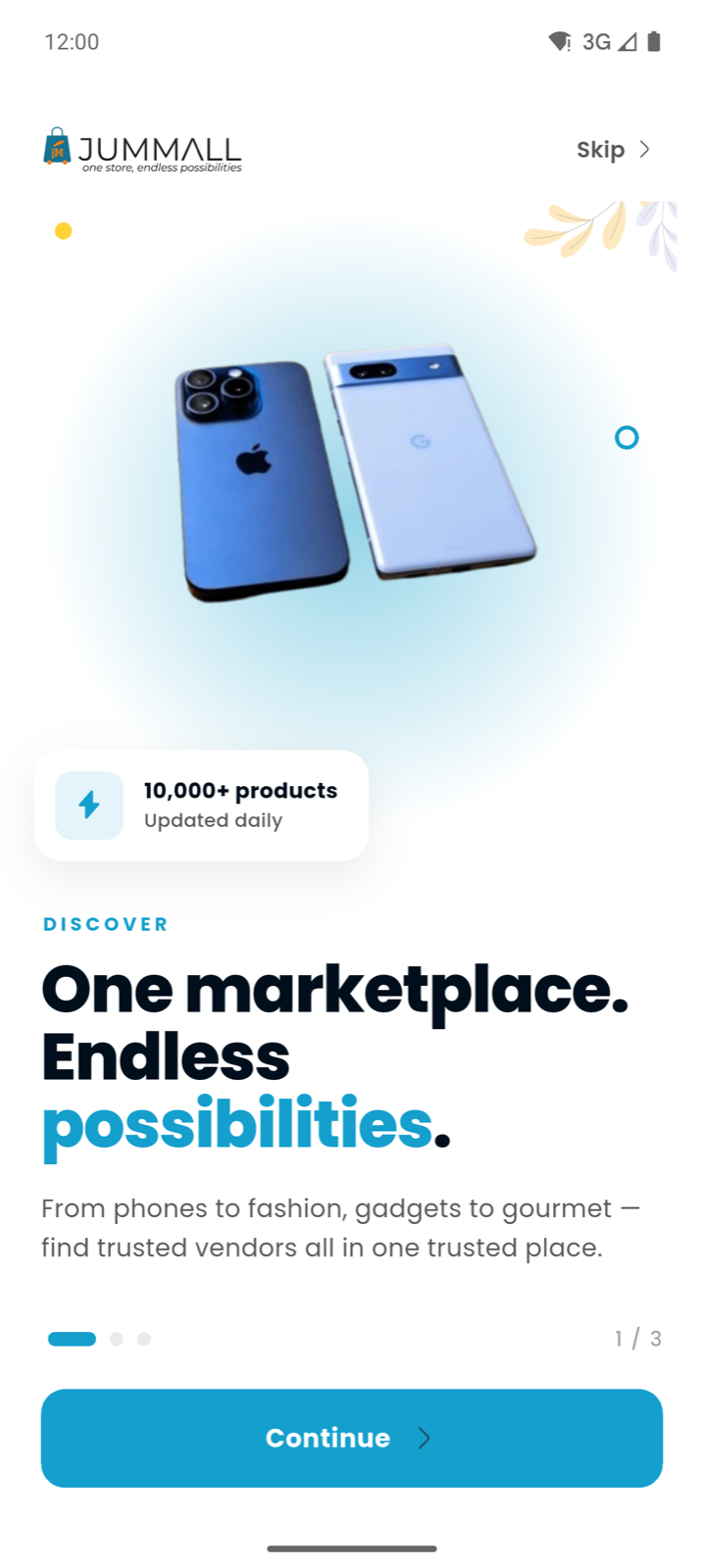
When you first open Jummall, you'll be welcomed with a quick tour and then asked how you'd like to explore. The best part? You don't need an account to start browsing — you can look around freely and only sign in when you're ready to save items or place an order.
The Jummall welcome screen introducing the marketplace
Tap "Browse and shop" to jump straight into the marketplace as a buyer.
Step 2: Explore the marketplace
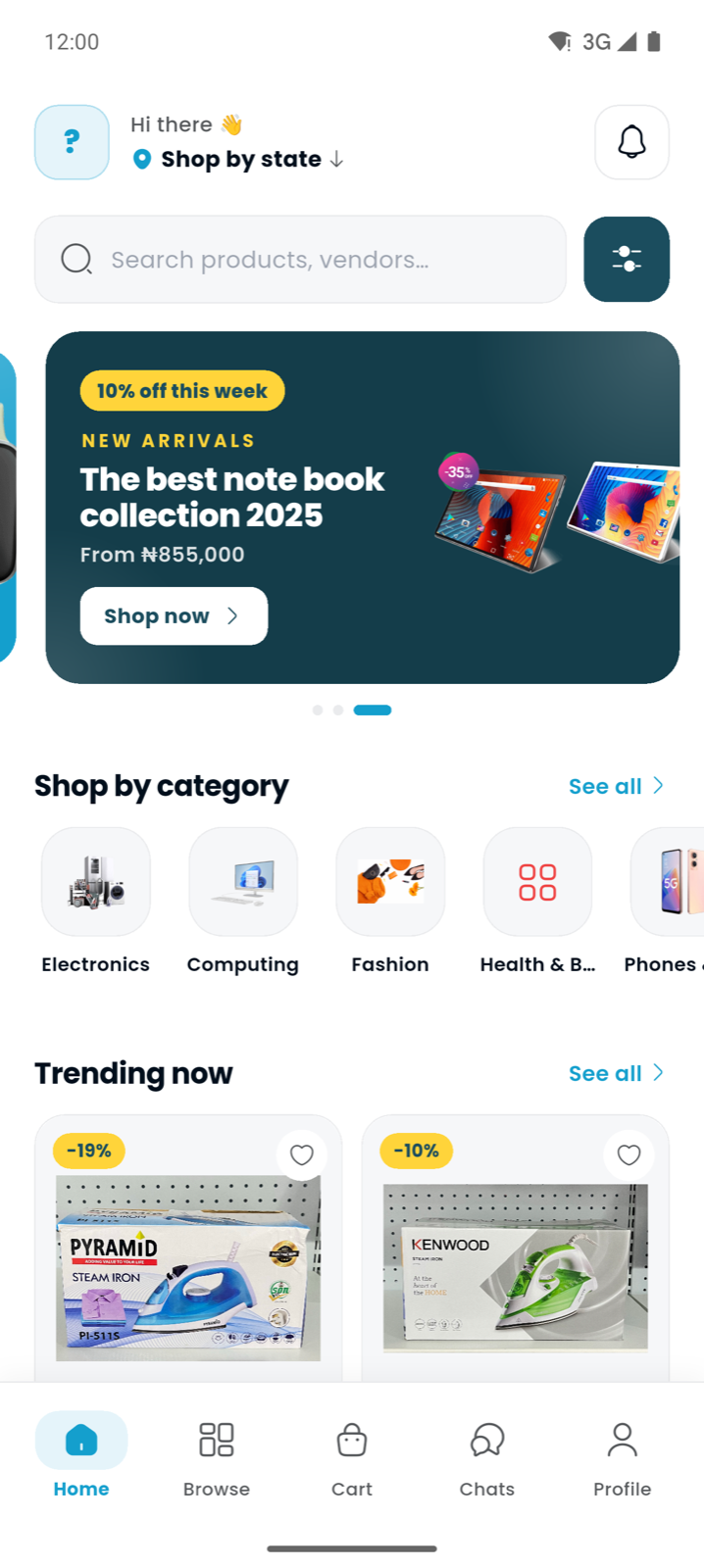
The home screen is your starting point. At the top you'll find a search bar — type in anything from "steam iron" to "iPhone" to a vendor's name. Below that, you'll see featured collections, shop-by-category shortcuts (Electronics, Computing, Fashion, Phones and more), and a Trending now row of popular products.
The Jummall home screen with categories and trending products
Take your time here. Tap a category to narrow things down, or use the search bar if you already know what you want.
Step 3: Open a product you like
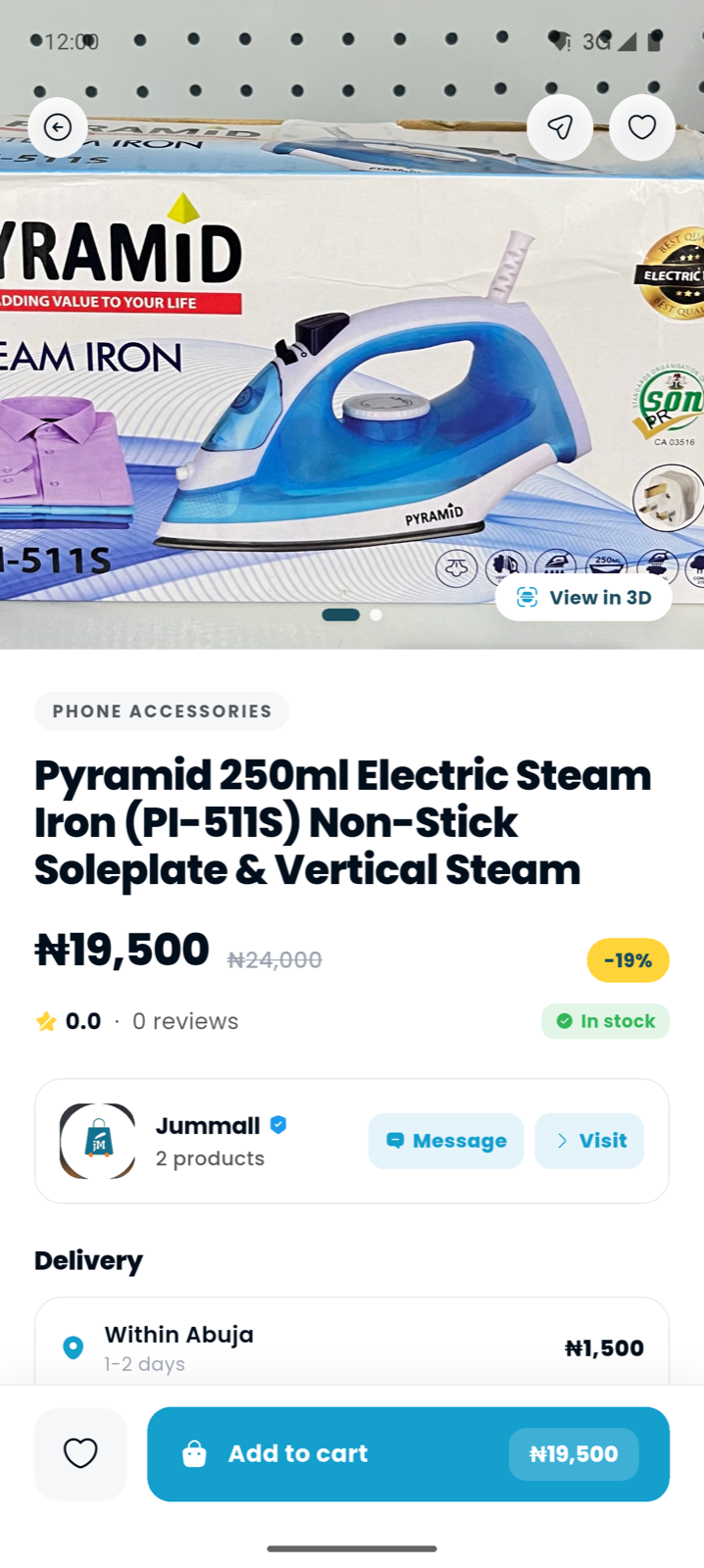
When something catches your eye, tap it to open the full product page. Here you'll see everything you need to make a confident decision:
High-quality photos (and a View in 3D option on supported products)
The price, any discount, and whether it's in stock
The vendor behind it — with a verified badge, ratings, and buttons to Message or Visit their store
Delivery estimates and fees for your area
A product detail page showing price, vendor and delivery info
Notice the vendor strip and the delivery card — Jummall is transparent about who you're buying from and when it will arrive before you commit a single naira.
Step 4: Add it to your cart
Found what you want? Tap Add to cart. You can keep shopping and add items from other vendors too — Jummall keeps everything in a single cart and sorts out the logistics behind the scenes.
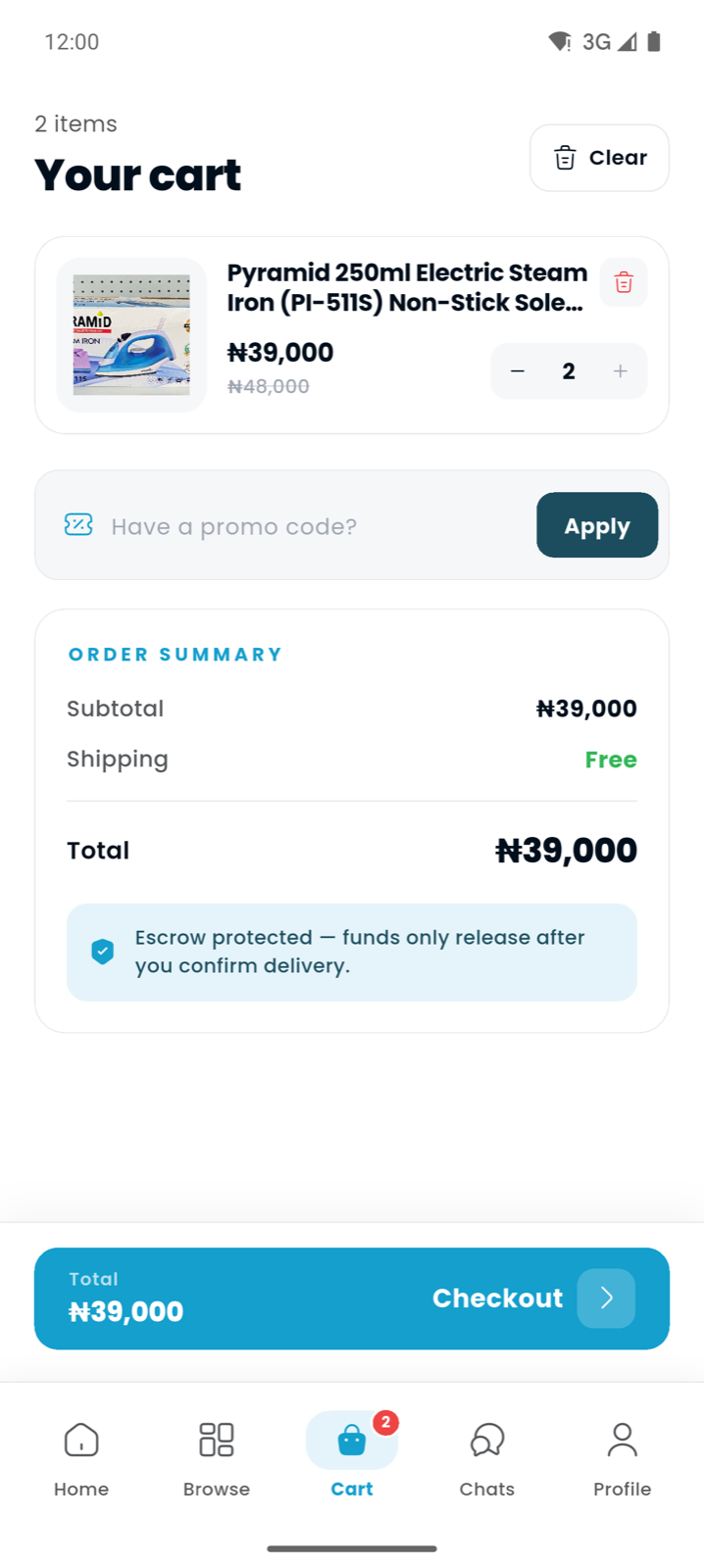
The Jummall cart with order summary and escrow protection note
In your cart you'll see a clear order summary: subtotal, shipping, and total. You'll also spot a small but important line — "Escrow protected — funds only release after you confirm delivery." More on that in a moment.
Step 5: Create your account (or sign in)
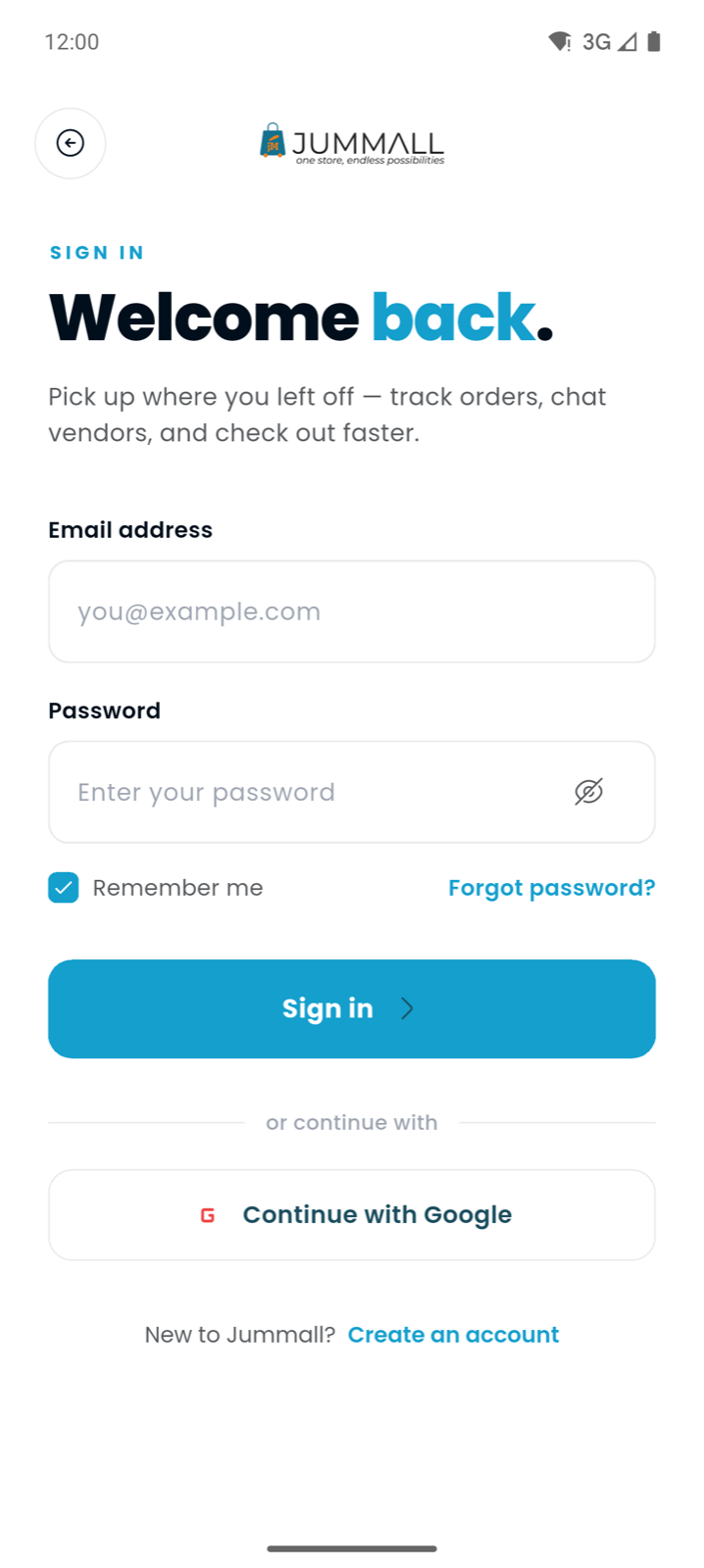
When you tap Checkout, Jummall will ask you to sign in or create a free account. This is the point where your shopping becomes yours — your cart, your addresses, your order history, all saved and synced.
The Jummall sign-in screen
Creating an account takes under a minute, and your cart moves with you, so you never lose what you added.
Step 6: Add your delivery address and review
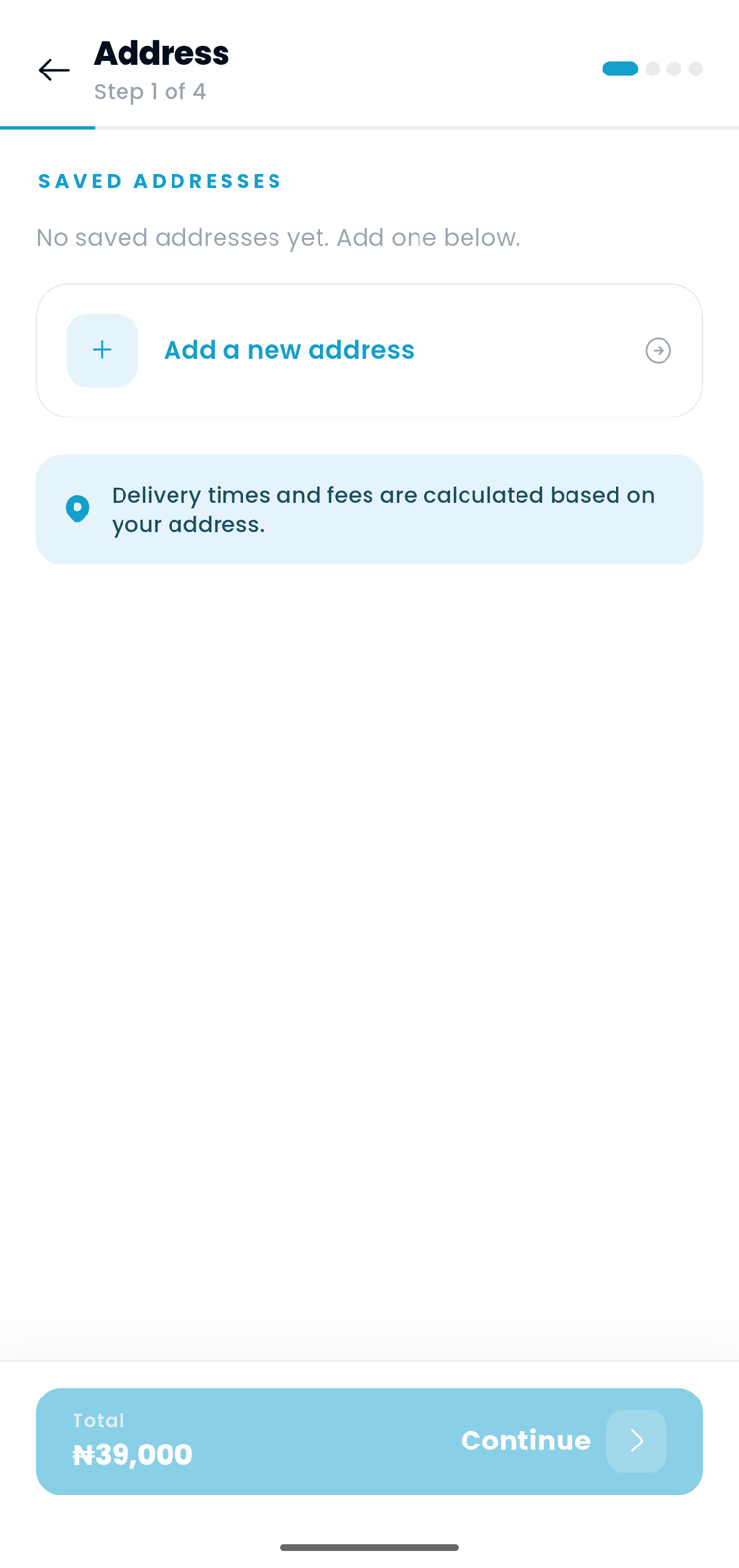
Next, Jummall walks you through a simple, four-step checkout. The first step is your delivery address — this is what determines your delivery time and fee, so it's worth getting right.
The checkout flow showing the delivery address step
From there you'll confirm delivery, choose how to pay, and review your order before placing it. Clear progress indicators show you exactly where you are.
Step 7: Pay safely — your money sits in escrow
Here's the part that makes Jummall genuinely safe. When you pay, your money does not go straight to the seller. It's held securely in escrow (powered by Paystack) and is only released after you've received your order and confirmed it's what you expected.
If something goes wrong — the item never arrives, or it's not as described — you're protected, because the funds haven't left the safety net yet. This single feature removes the biggest risk of shopping online in Nigeria.
Step 8: Track your order to your door
Once your order is placed, you can follow it every step of the way — from the vendor preparing it, to dispatch, to delivery. You'll get updates as the status changes, and when your parcel arrives, you confirm receipt in the app to release payment to the seller.
That's it. You've gone from browsing to buying, safely, in a few taps.
Tips for first-time shoppers
Check the vendor's rating and reviews on the product page before buying.
Read the delivery card so you know the fee and ETA for your state up front.
Use a single checkout for multiple items — even across different vendors.
Only confirm delivery once you've actually received and inspected your item. That's what keeps escrow working in your favour.
Frequently asked questions
Is it safe to shop on Jummall?
Yes. Every vendor is KYC-verified, and every order is protected by escrow — your payment is only released to the seller after you confirm delivery.
Do I need an account to browse?
No. You can explore the entire marketplace without signing up. You only need a free account when you're ready to check out, save items, or track orders.
How long does delivery take?
It depends on your location and the vendor. Within-state orders typically arrive in 1–2 days, and nationwide delivery usually takes 3–5 days. You'll see the exact estimate on each product before you buy.
What if my order never arrives?
Because your money is held in escrow, it isn't released until you confirm receipt. If there's a problem, your funds stay protected while it's resolved.
 Buyer Guides